
How to Use EasyPaisa and JazzCash in Casino Games
Description
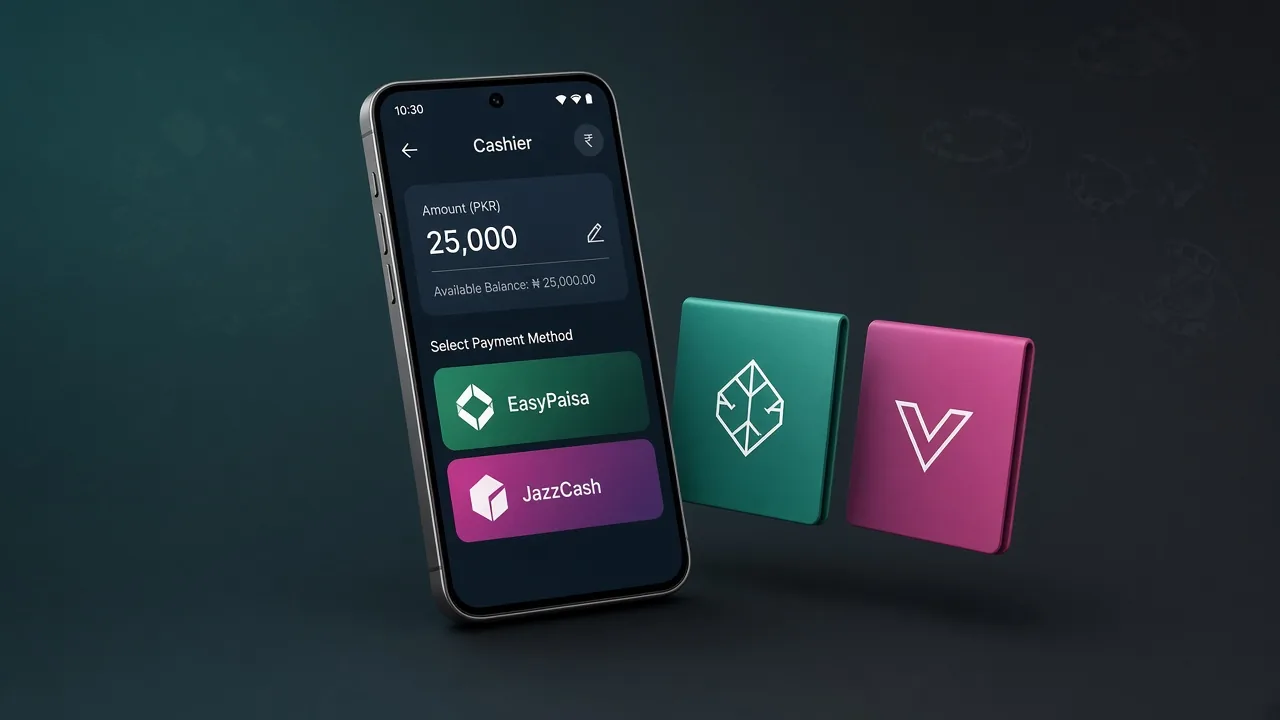
EasyPaisa and JazzCash are Pakistan mobile wallets that many online card and casino apps use to move rupees. You log in, open the cashier, pick one wallet, then approve the request in your own wallet app. allgamesapk explains the cashier flow. allgamesapk does not hold your money.
What EasyPaisa and JazzCash do in casino apps
EasyPaisa and JazzCash sit between your phone balance and the in-app wallet. A deposit sends rupees from the wallet you already use for bills. A withdraw sends rupees back to that same account. The game app does not replace EasyPaisa or JazzCash. You still approve each request in the official wallet app.
Listings on this site that name both wallets include P999 Game, Y999 Game, 92 Blaze, and 777 DX Game. PKR365 Game does not have confirmed rails on its listing, so copy the method on that cashier before you send money.
Play is for users 18 and older. Treat a round as entertainment. Stakes come from money you already added.
How a cashier takes a card-game deposit
After login, open Wallet, Finance, or Deposit. The cashier lists the methods your account is allowed to use. On many Pakistan clients that list is EasyPaisa or JazzCash. Minimums, fees, and credit times stay unconfirmed here, so copy the amount printed on screen. Match the wallet name and number to your own ID.
- First, log in and wait for the lobby.
- Then open Deposit or Wallet.
- Next, pick EasyPaisa or JazzCash if the cashier shows them.
- Afterward, enter the amount on that screen, not a figure from a chat.
- Finally, approve the request in your wallet app and return to the game.
Stay in the cashier until the balance refreshes. A second payment while the first is pending often creates two holds. Other titles sit in Games.
How do I pay with EasyPaisa and JazzCash?
Use one wallet per request. Do not split one deposit across both apps unless the cashier asks for two rails. Keep JazzCash and EasyPaisa PINs out of game chat. Support inside the casino app does not need your PIN together with your login password.
| Step | EasyPaisa | JazzCash |
|---|---|---|
| Open | Your EasyPaisa app after the cashier starts the request | Your JazzCash app after the cashier starts the request |
| Check | Merchant name and amount match the game cashier | Merchant name and amount match the game cashier |
| Approve | Confirm only on a number you control | Confirm only on a number you control |
| Return | Go back to the game and wait for the balance | Go back to the game and wait for the balance |
Getting a cash-out back to your wallet
Withdraw uses the same cashier. Pick EasyPaisa or JazzCash, enter the number tied to your game account, then submit. Speed, fees, and minimums were not independently confirmed. Use a wallet registered in your own name. Try a small cash-out first so you see the checks on the account.
- First, open withdraw in the cashier.
- Then choose EasyPaisa or JazzCash.
- Next, enter the wallet number bound to the account.
- Finally, submit and keep the request ID.
Bonus wagering on many platforms can block a full withdraw until you play through. Read that screen before you tap confirm. Bind the wallet before you request a large amount.
Checks before you approve a transfer
The cashier and the wallet app should show the same amount. Stop if a chat asks you to send rupees to a personal number. Stop if someone wants your PIN plus an OTP. Reset a game password only inside the app. The allgamesapk homepage lists current APKs. It does not process wallet payments.
- Match the wallet name to the name on your account.
- Keep one game account per person on many of these clients.
- Copy the figure from the cashier, not from a banner.
- Save the transaction ID from EasyPaisa or JazzCash.
Tips for EasyPaisa and JazzCash play
Set a cash limit before you open Deposit. Learn one title before you jump across a lobby. Stop if the next tap is only to recover a loss. Stake money you accept losing. Play only if you are 18 or older.
- Scan a sideload APK with Play Protect before you open a round.
- Log out on a shop phone after you finish.
- Use in-app support for a stuck wallet ticket.
- Do not send a screenshot of your PIN or OTP.
If EasyPaisa and JazzCash payments stall
Work through the cashier and the wallet history before you trust a stranger who claims to be support.
| Problem | What to try |
|---|---|
| Balance still 0.00 | Stay in the cashier, then check the EasyPaisa or JazzCash SMS. |
| Request missing in wallet | Confirm you picked the same rail the cashier showed. |
| Withdraw held | Confirm the wallet number and name match the game profile. |
| Two payments sent | Wait for both holds. Do not send a third. |
Quick answers
They move rupees between your Pakistan mobile wallet and the in-app cashier on many card and casino clients.
Log in, open Deposit or Wallet, pick EasyPaisa or JazzCash, copy the amount on screen, then approve the request in your wallet app.
P999 Game, Y999 Game, 92 Blaze, and 777 DX Game. PKR365 Game does not have confirmed rails on its listing.
No. Fees, minimums, and credit times were not independently confirmed. Copy the figure from the cashier.
Open withdraw in the cashier, choose EasyPaisa or JazzCash, enter the wallet number tied to the account, then keep the request ID.
No. allgamesapk lists apps and explains the cashier flow. The wallet apps and the game operator process the payment.
No. Real-money play is for users 18 and older.
Use only the method printed on your account. Do not send rupees to a personal number from a chat.
Last checks
Scan a sideload APK with Play Protect before you open a round. Approve EasyPaisa and JazzCash requests only in your own wallet app.