Casino App Sign-Up and Login: Keeping Your Account Safe
Description
A casino app account is one login for your balance, round history, and wallet number. You register with a phone number or email, set a password, then bind EasyPaisa or JazzCash before a cash-out. This allgamesapk guide covers sign-up, casino app login, resets, and account safety for Pakistan players. allgamesapk does not store your login or run game servers.
What a casino app account holds
Your account is the record the operator checks before every deposit and withdrawal. Lose access, and the balance stays locked behind a login out of your reach. Protect the account first, then think about rounds.
| Account part | Why the part matters |
|---|---|
| Phone number or email | Your login ID and the target for reset codes |
| Password | The key to the balance and the cashier |
| Bound wallet | The EasyPaisa or JazzCash number for cash-outs |
| Invite code field | Optional on most sign-up forms |
| Record screens | Proof of each deposit, bet, and withdrawal |
Signing up with a +92 number or email
Most Pakistan casino apps open a Register screen after install. You enter a +92 mobile number or an email, pick a password, and confirm a one-time code. P999 Game, for example, accepts either a +92 phone or an email. Follow the fields on your screen, since forms differ per app.
- First, tap Register or Sign Up on the home screen.
- Then enter a number you own and keep in your phone.
- Next, set a password you use nowhere else.
- Afterward, type the OTP from the SMS before the timer ends.
- Finally, write the login ID and password on paper or in an offline note.
Use one account per person. Many operators freeze duplicate accounts, and a frozen ID often blocks withdrawals too.
How does casino app login work?
Casino app login uses the same number or email you registered with plus your password. Some apps add an OTP on a new phone. Browser lobbies such as win 786 use a Sign In button on the web page instead of an installed app.
- Type the number in the format the field shows, with or without the leading zero.
- Check Caps Lock and the keyboard language before you enter the password.
- Turn on Remember me only on a phone you alone use.
- Wait for the lobby to load fully before you open the cashier.
Password resets and OTP codes
Reset a password only through Forgot Password inside the app. The code goes to your registered number or email. Nobody from support needs the code, so never read the digits out on a call or paste them in chat.
| OTP problem | What to try |
|---|---|
| No SMS after one minute | Check signal, then tap Resend once. |
| Code expired | Request a fresh code and enter the newest one. |
| SMS lands in spam or promotions | Open the full SMS inbox, then search for the app name. |
| Old SIM no longer active | Contact in-app support from the logged-in account if you still have access. |
Binding a wallet to your account
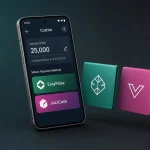
Bind the withdrawal wallet before you need a cash-out. Most cashiers ask for the account holder name and the EasyPaisa or JazzCash number once. Afterward, cash-outs go only to the bound number.
- First, open Wallet, Profile, or Withdraw.
- Then choose Add account or Bind wallet.
- Next, enter the wallet number in your own name.
- Finally, double-check the digits, because many apps lock the binding after save.
Cashier steps for both wallets sit in the EasyPaisa and JazzCash guide.
Casino app login safety on shared phones
A shared or shop phone keeps your session open for the next person. Log out after every session and clear saved passwords from the browser. Play is for users 18 and older, so keep the account away from younger family members.
- Lock the phone with a PIN or fingerprint.
- Refuse to share your login with a friend or agent.
- Ignore messages offering to recover an account for a fee.
- Check the record screens weekly for bets you did not place.
When casino app login fails
Failed logins usually come from a wrong password, weak data, or an outdated app file. Retry once, then reset. Repeated wrong attempts trigger a temporary lock on some apps.
| Message or symptom | What to try |
|---|---|
| Wrong account or password | Check the number format, then use Forgot Password. |
| Network error | Switch between Wi-Fi and mobile data, then retry. |
| Login spins forever | Update the app from the listing, then reopen. |
| Account frozen | Open in-app support and ask for the reason in writing. |
A broken install causes login loops too. Fix the file first with the casino APK install guide. Listings such as H555 Game and F444 Game add app-specific sign-in notes. More titles sit in the Games archive.
Common questions
A casino app account is the login tied to your rupee balance, round history, and bound wallet. You create one with a +92 number or email and a password. The operator checks the account before every deposit and withdrawal.
Tap Forgot Password inside the app, enter your registered number or email, then type the OTP you receive. Never share the code with anyone who calls or messages you.
The usual causes are a wrong number format, a wrong password, weak data, or an outdated app file. Retry once, reset the password, then update the app from the listing if the problem stays.
Many operators allow one account per person and freeze duplicates. A frozen account often blocks withdrawals, so keep a single ID in your own name.
Bind an EasyPaisa or JazzCash number registered in your own name, when the cashier lists those wallets. Check the digits before you save, because many apps lock the binding.
Last checks
Keep the login ID and password offline, and bind the wallet before your first cash-out request.