How to Install a Casino APK on Android Step by Step
Description
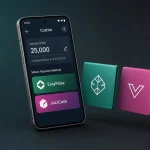
Installing a casino APK on Android means adding an app file from outside Google Play. You download the file from a listing button, allow one installer, scan the package, then sign in. This allgamesapk guide walks Pakistan players through each step. allgamesapk does not build or host the game apps.
What installing a casino APK means
An APK is the Android install package. Most Pakistan casino and card apps are missing from Google Play, so you sideload the file instead. Android blocks files from unknown sources by default. You give one app, usually Chrome or Files, a short permission to install the package.
Some listings open an operator page in the browser instead of a raw file. In those cases you sign in on the web lobby and skip the install.
| Term | Meaning |
|---|---|
| APK | The Android install package file |
| Sideload | An install from outside Google Play |
| Install unknown apps | The Android permission for one source app |
| Play Protect | The Google scanner built into Android |
| Package name | The internal app ID Android checks on every update |
Before you tap Download
A clean install starts with the right file. Open the game listing first, then use the Download button on the same page. Skip APKs shared in WhatsApp, Telegram, or Facebook groups. A renamed clone often asks for your login and wallet number. The allgamesapk homepage lists the current game pages.
- First, check free storage. Leave room for the file plus app data.
- Next, connect to stable Wi-Fi or mobile data so the download finishes in one go.
- Then confirm the file name matches the game you opened.
- Finally, compare the file size with the listing when the listing records one.
File sizes vary a lot. For example, the 8557 Game listing records 91.5 MB, while 999Q Game records 5.74MB. A file far smaller than the listing figure usually means a broken download.
How do I install a casino APK on Android?
You install a casino APK in six steps: download, open, allow, scan, install, and lock the permission again. Menu names change by phone brand, so pick the closest label on your screen.
- First, tap Download on the game listing and wait for the file to finish.
- Then open the file from the browser bar or the Downloads folder in Files.
- Next, Android asks about installs from this source. Tap Settings and turn on Allow from this source.
- Afterward, go back and let Play Protect scan the package.
- Now tap Install and wait for the App installed message.
- Finally, open the app and wait for the home or login screen.
| Prompt on screen | What to do |
|---|---|
| Your phone is not allowed to install unknown apps from this source | Tap Settings, allow this one source, then go back. |
| Blocked by Play Protect | Stop. Delete the file and download again from the listing. |
| Play Protect warning with Install anyway | Read the reason first. Cancel if the file came from a chat group. |
| App not installed | Check the error table further down this guide. |
Turning the unknown apps permission off again
Switch the permission off once the game opens. A browser with install rights stays a risk, because a page you visit later might push another file.
- First, open Settings, then Apps.
- Next, find Special access or Special app access.
- Then open Install unknown apps.
- Afterward, pick Chrome or Files.
- Finally, switch Allow from this source off.
The installed game keeps working. Android only asks for the permission again on the next update.
Updating a casino APK without losing your account
Install the newer file over the old app. Skip the uninstall. Android keeps your login data when the new package carries the same name and signature. An App not installed error during an update often means the new file came from a different source.
- Save your password offline before any update.
- Keep the phone number or email you used to register.
- Settle a pending deposit or withdrawal first.
- Afterward, delete the old APK file from Downloads.
Version numbers help here. Y999 Game records v1.3 and P999 Game records v1.2, so you know which build to expect. Sign-up and password steps sit in the casino app account guide.
Install errors and what to try
Most failed installs come from four causes: a broken download, low storage, an old Android version, or a clash with an older copy. Work down the table before you contact in-app support.
| Problem | Likely cause | What to try |
|---|---|---|
| App not installed | Partial download or a clash with an older copy | Delete the file and download again. Remove the old copy only after you save your login. |
| There was a problem parsing the package | Corrupt file or an Android version below the app floor | Download again, then check the Android requirement on the listing. |
| Insufficient storage | Phone memory full | Clear cache or remove unused apps, then retry. |
| App closes on open | Weak data or an outdated build | Restart the phone, switch networks, then reopen. |
| Blocked by Play Protect | The scanner flagged the file | Stop. Delete the file and use only the listing download. |
Android floors differ per app. 92 Blaze lists Android 7 or later, for instance, so an Android 6 phone fails the install. A stuck deposit after install belongs in the EasyPaisa and JazzCash guide. Play only if you are 18 or older.
Common questions
A casino APK is an Android install file for a real-money casino or card app distributed outside Google Play. You sideload the file, sign in, then use the in-app cashier. Play is for users 18 and older.
Sideloading carries more risk than a Play Store install, because Google does not review the file. Use the listing Download button, let Play Protect scan the package, and switch off the unknown apps permission afterward.
The usual causes are a partial download, low storage, or an older copy with a different signature. Delete the file, free some space, then download again from the listing.
No. Install the new APK over the existing app so Android keeps your login data. Uninstall only after you save your password and finish any pending cashier request.
The requirement changes per app. Check the Android floor on each listing before you download, and update your phone software when the listing asks for a newer version.
Last checks
Keep one copy of each game on the phone, and delete old APK files from Downloads after every update.